Affiliate disclosure. Some articles on this site contain affiliate links. If you use one and book or buy something, I may receive a small commission; it costs you nothing extra. A commission never buys a recommendation — if something isn’t worth your money, the article says so. Full details in the privacy policy.
What Are Suica and PASMO? Your Options in 2026
If you're visiting Tokyo, the first thing locals will tell you to get is an IC card—either Suica or PASMO. These are rechargeable prepaid cards (or phone apps) that let you tap through train and subway gates, pay for buses, and buy things at convenience stores and vending machines. No fumbling for cash, no figuring out ticket prices for each ride. Just tap and go.
Suica is operated by JR East, the company that runs most above-ground trains in Tokyo. PASMO is run by Tokyo's private railway and subway operators. The names sound different, but practically speaking, they work identically. You can use either card on virtually any train, subway, or bus in Tokyo that accepts IC cards—and on most, though not all, transport across Japan. Locals don't really care which one they have. Pick whichever you can get first.
Here's the catch in 2026: there is more than one way to get an IC card, and the right choice depends on your phone and how long you're staying. Before the full list, here is the short answer.
Which one should you get?
- Do you have an iPhone? → Get Welcome Suica Mobile. Set it up before you fly. Valid 180 days, no deposit, and you can top up with a foreign credit card.
- No iPhone, staying 28 days or less? → Get a TOURIST PASMO at Narita or Haneda. No deposit, nothing to return, and it's designed to keep as a souvenir.
- No iPhone, staying longer, or visiting Japan again? → Get a standard Suica or PASMO from a ticket machine. It keeps working for years between trips.
That covers almost everyone. The rest of this section explains the other cards, in case one of them fits you better.
Physical cards
- Standard Suica or PASMO — the green or silver cards locals use. Sales of unregistered cards resumed in March 2025 after a long suspension. The purchase price includes a ¥500 refundable deposit.
- Welcome Suica — JR East's tourist version with a cherry blossom design. No deposit. Valid 28 days from the day you buy it. Cash top-ups only.
- Welcome Suica (long-stay version) — the same idea, but valid 180 days instead of 28. Worth asking about if your trip runs long.
- TOURIST PASMO — new in May 2026. A stylish design built around the kanji 旅 (travel), with travel-related characters scattered across the card face. Designed to be taken home as a souvenir. No deposit, no refunds. Valid 28 days.
Note: PASMO PASSPORT, the old Sanrio-character tourist card, was discontinued in 2024. Older guides still recommend it, but you can no longer buy one. TOURIST PASMO is its replacement.
Digital options
- Welcome Suica Mobile — an iPhone app launched in March 2025. Valid 180 days, six times longer than the standard physical Welcome Suica. No deposit, and you can top up with a credit card issued outside Japan. Currently iPhone and Apple Watch only; JR East has said Android support is planned for a later date.
- Standard Mobile Suica or Mobile PASMO in Apple Wallet — these run on most modern iPhones regardless of where the phone was bought. What can trip travelers up is payment, not hardware: some cards issued outside Japan are declined when you try to top up. If that happens, you can still add cash at a ticket machine.
The short version: if you have an iPhone, get the Welcome Suica Mobile app before you fly. If you don't, TOURIST PASMO (from May 2026) is a convenient choice for a short trip — no deposit, nothing to return, and a card worth keeping.
Where and How to Get Your Card
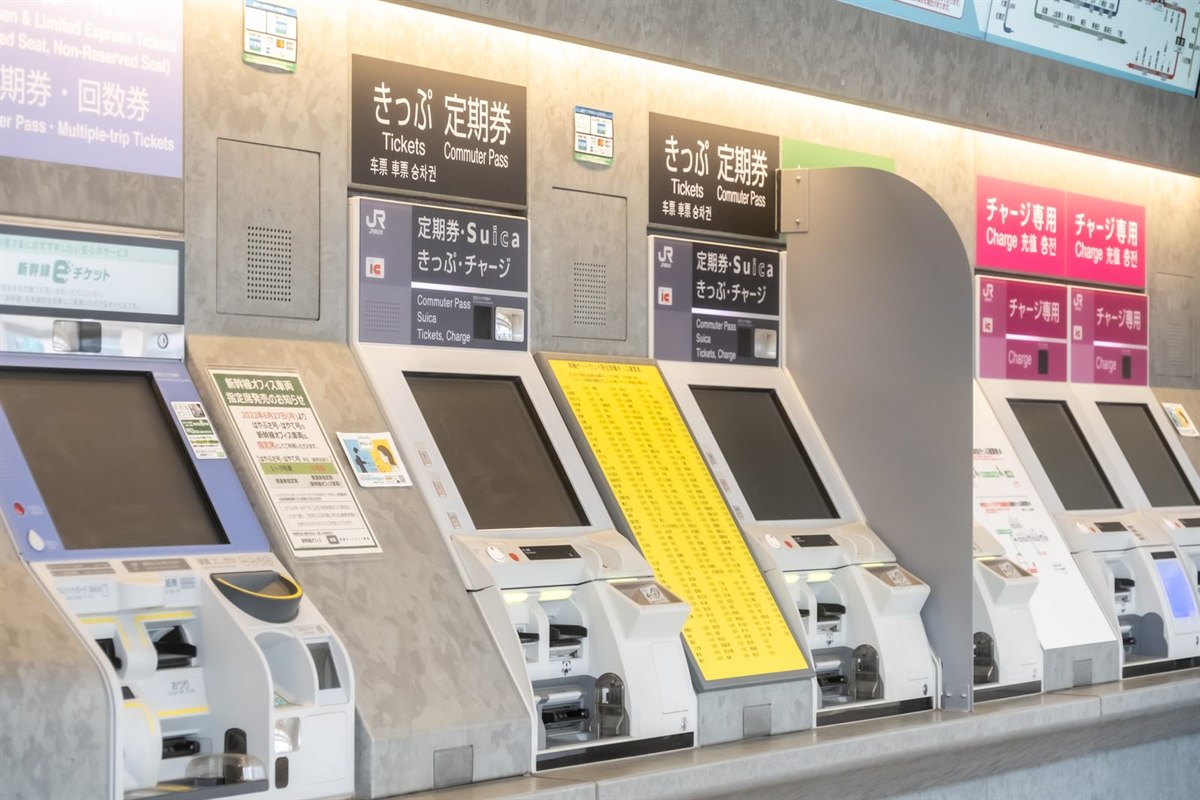
Where you buy your card depends on which one you've chosen. Here's the practical breakdown.
If you want Welcome Suica Mobile (iPhone users)
This is the easiest option, and you don't even have to wait until you land.
- Before your flight: Download "Welcome Suica Mobile" from the App Store.
- Open the app and set a simple secret keyword (no membership registration needed).
- Add a credit card and load your first top-up, starting at ¥1,000.
- The moment you land at Narita or Haneda, you can tap your phone at the ticket gate.
No queues. No counters. No 28-day countdown — the digital version is valid for 180 days.
If you want a physical card
Where you get them differs by card.
Standard Suica or PASMO (the local versions)
- Available at JR East station ticket machines and counters (Suica), and at Tokyo Metro and private railway stations (PASMO)
- Most ticket machines have an English mode
- Sold at ¥1,000, ¥2,000, ¥3,000, ¥4,000, ¥5,000 or ¥10,000. A ¥500 refundable deposit is included in that price — so a ¥1,000 card gives you ¥500 of spending credit, not ¥1,000
- The card stops working only if you leave it unused for 10 years, so it's the best choice if you visit Japan often
Welcome Suica (cherry blossom design, no deposit)
- Sold at JR East Travel Service Centers at Narita Airport, Narita Terminal 2, Haneda Terminal 3, and at Tokyo, Shibuya, Shinjuku, Ikebukuro, Ueno, Yokohama and Sendai stations
- Also from dedicated Welcome Suica vending machines at the three airport stations, and at JAPAN RAIL CAFÉ Tokyo and the Takanawa Gateway Travel Service Center
- Sold at ¥1,000 through ¥10,000, with no deposit — the full amount is yours to spend
- Queues can be long at the airports during busy periods
- Top-ups are cash only. You cannot add money to a physical Welcome Suica with a credit card
Reserving one before you fly. Klook sells a Welcome Suica for airport pick-up at US$14.29, loaded with ¥1,500–2,000. This is not a cheaper card — the same card is sold at the counters and machines listed above — and it is not a same-day fix: when I checked on 8 September 2026, the earliest pick-up offered was two days later. What it buys is a card reserved before you arrive, with free cancellation until you collect it. The balance is fixed in yen while the price is charged in your own currency, so compare the two before booking. I have not used the service myself. Klook's Welcome Suica listing (affiliate link).
TOURIST PASMO (new from May 2026, kanji design)
- Narita Airport: fixed price ¥2,000, including ¥2,000 of credit
- Haneda Airport: choose from ¥1,000 / ¥2,000 / ¥3,000 / ¥4,000 / ¥5,000 / ¥10,000 — the full amount loads onto the card
- Sold at counters and ticket machines at railway stations serving Narita and Haneda airports
- No deposit and no service fee, but also no refunds — spend the balance before you leave
Honest tip from someone who lives in Tokyo: if you're arriving tired after a long flight and the counter has a long line, just skip it. A regular Suica or PASMO from a ticket machine takes a couple of minutes, and its ¥500 deposit is refundable. You can pick up a Welcome Suica later at Tokyo, Shinjuku, Shibuya, Ikebukuro, Ueno or Yokohama if you want one as a souvenir. TOURIST PASMO is a different story — it's sold at the airport stations, so if you want one, get it on arrival.
How to Charge and Use Your Card
Charging (Topping Up)
You can add money to any IC card at:
- Ticket machines in stations — cash, in Japanese yen
- Convenience stores (7-Eleven, Lawson, FamilyMart) — hand the cashier cash and your card
If you're using a card in your phone — Welcome Suica Mobile, or Suica or PASMO in Apple Wallet — you can also top up in the app with a registered credit card. Some cards issued outside Japan are declined; if that happens, cash at a ticket machine always works.
One thing that catches people out: a physical Welcome Suica can only be topped up with cash. The credit-card option is for the mobile versions.
Charging amounts: ¥500, ¥1,000, ¥2,000, ¥3,000, ¥5,000 and ¥10,000 are the standard options at ticket machines.
Maximum balance: ¥20,000. Once you hit this, you can't add more until you spend some.
Using the Card
For trains and subways:
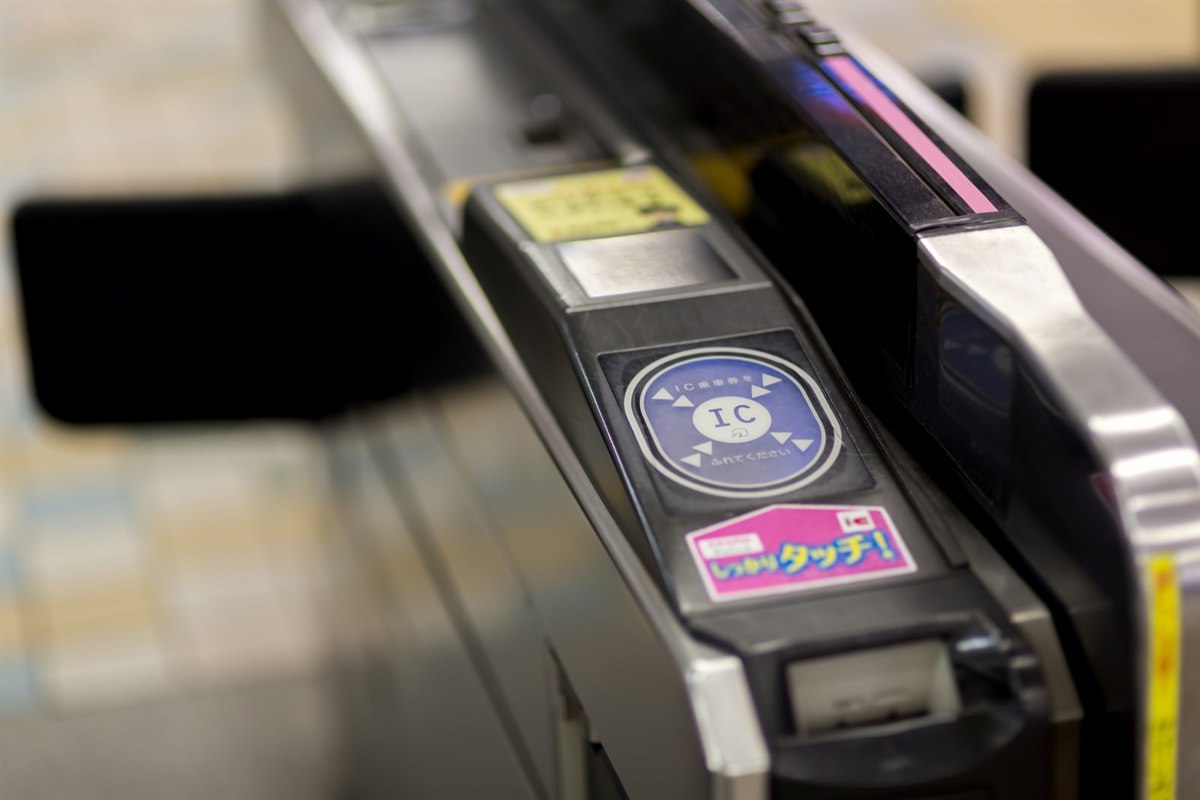
- Tap your card (or phone) on the round sensor at the ticket gate when entering.
- Walk through.
- Tap again on the round sensor when exiting. The fare is automatically deducted.
That's it. No tickets, no thinking about transfer routes, no fare calculation.
For buses: most Tokyo city buses charge a flat fare, and you tap once as you board. Some routes, especially outside central Tokyo, charge by distance and ask you to tap both on and off. Watch what the passengers ahead of you do — it takes two seconds to copy them.
For shopping: at convenience stores, vending machines, and many restaurants, tell the cashier "Suica" or "IC card" and tap when prompted. The amount is deducted instantly.
Things you might not expect to be able to pay for with an IC card:
- Vending machine drinks at most stations and many street corners
- Coin lockers at major stations (huge time saver — no fumbling for ¥100 coins)
- Some taxis (look for the IC card sticker on the back window)
- Tickets at museums and tourist attractions
- The Shinkansen (bullet train) — mostly no. A plain IC card won't get you onto a bullet train; you need a separate ticket. The exception is JR East's own network, where Welcome Suica Mobile and some registered Suica services let you tap through for non-reserved seats. For the Tokaido Shinkansen to Kyoto and Osaka, buy a ticket.
What to Do at the End of Your Trip
This depends on which card you have.
Standard Suica or PASMO
- Keep it. The card only stops working if you leave it unused for 10 years, so if there's any chance you'll return to Japan, hold on to it. Your remaining balance stays untouched.
- If you want a refund: go to a JR East counter (for Suica) or a PASMO counter. You get your remaining balance minus a ¥220 handling fee, plus the ¥500 deposit back. If your balance is under ¥220, you simply get the ¥500 deposit. Honestly, not worth the time for most travelers.
Welcome Suica (physical)
- Expires 28 days after purchase. After that, the card is useless.
- No refund possible. Any remaining balance is lost.
- Best practice: spend the balance down to near-zero on your last day. Use it for convenience store purchases or your final train ride.
- Keep the card as a souvenir — the cherry blossom design makes it a nice memento.
TOURIST PASMO
- Same as Welcome Suica: 28-day expiry, no refunds, take it home as a souvenir.
Welcome Suica Mobile (the app)
- Valid for 180 days from the day it's issued. If you're back in Japan before that runs out, your card and balance are still there.
- After 180 days, the digital card expires. You can create a new one for your next trip.
- No refund on remaining balance.
The honest move: on your last day, use up most of your balance on souvenirs, last-minute snacks, or the train ride to the airport. Leaving ¥3,000 on a card you'll never use again is a waste.
Tips Locals Know (That Most Guides Don't Tell You)
After living in Tokyo for years, here are the things that take time to figure out on your own.
Your card works far beyond Tokyo.
Suica, PASMO, ICOCA (Kansai), SUGOCA (Kyushu) and most other regional IC cards are mutually compatible, so the Suica you buy in Tokyo also works on Osaka subways, Fukuoka buses and Sapporo trains. You don't need a different card for each region. Two limits are worth knowing: some rural lines don't take IC cards at all, and a single journey generally can't cross from one IC region into another — so a long-distance trip needs a ticket, not a tap.
Vending machines and lockers are the killer feature.
Japan has roughly four million vending machines, and Tokyo is thick with them — most of the ones in and around stations take IC cards. Same for coin lockers at major stations: you tap to lock, tap again to retrieve. No coins needed, no language barrier.
Don't bother with the Suica counter if you're tired.
Airport counters can back up badly during busy seasons. If your only goal is "I need a card right now," a regular Suica or PASMO from a ticket machine takes a couple of minutes. You can pick up a souvenir Welcome Suica later at Tokyo, Shinjuku, Shibuya, Ikebukuro, Ueno or Yokohama.
The "balance running out at a gate" panic.
If you tap to exit and your balance is too low, the gate closes and a red light flashes. Don't panic. There's a "Fare Adjustment" (精算) machine right next to the gates, usually marked in English. Insert the card, add cash, done. It only takes a moment.
Apple Wallet users: enable Express Mode.
If you're using Welcome Suica Mobile or Suica in Apple Wallet, set it as your Express Transit Card in your wallet settings. This lets you tap through gates without unlocking your phone or using Face ID. Locals do this without thinking — it's significantly faster.
Souvenir collectors: limited designs exist.
Beyond the standard tourist designs, JR East occasionally releases special edition Suica cards — anime tie-ins, character crossovers, regional designs. Popular ones can sell out quickly. If you're into this, check JR East's news page before your trip.
One last thing: kids' cards exist.
Children pay roughly half fare on Japanese trains, and there are children's versions of these cards to match. You'll need to show the child's passport when buying one, and an adult can buy it on their behalf. Over a week of train rides it adds up.
Final Thoughts
For most travelers in 2026, the choice boils down to:
- iPhone user, first or repeat visit: Welcome Suica Mobile app. Set it up before your flight.
- Android user, or you'd rather hold a card: TOURIST PASMO, if you're staying 28 days or less. No deposit, nothing to return, and it's made to take home.
- Staying longer, or coming back: a standard Suica or PASMO. The ¥500 deposit is refundable, and the card keeps working for years between trips.
Whichever you choose, you'll wonder how you ever traveled Japan without one by day two.
Sources and last check
Fares, deposits, validity periods and sales locations in this article were checked against the operators' own pages on 22 August 2026, and the Klook listing was re-checked on 8 September 2026. Rules change — if you're travelling much later than that date, it's worth a quick look at the official pages below.
- JR East — Welcome Suica: where to buy, top-ups, validity
- JR East — Welcome Suica Mobile
- JR East — Suica: deposit and refunds
- PASMO — TOURIST PASMO
- Apple — adding Suica, PASMO or ICOCA to Apple Wallet
Written and checked in Tokyo by Satoru Amano. If you spot something that's out of date, please tell me — I'd rather fix it than leave someone stuck at a ticket gate.
More from Tokyo Notes
Practical guides to Tokyo from someone who walks these streets every day – transit, neighborhoods, accessibility, and the small details that make or break a trip. Browse all articles →